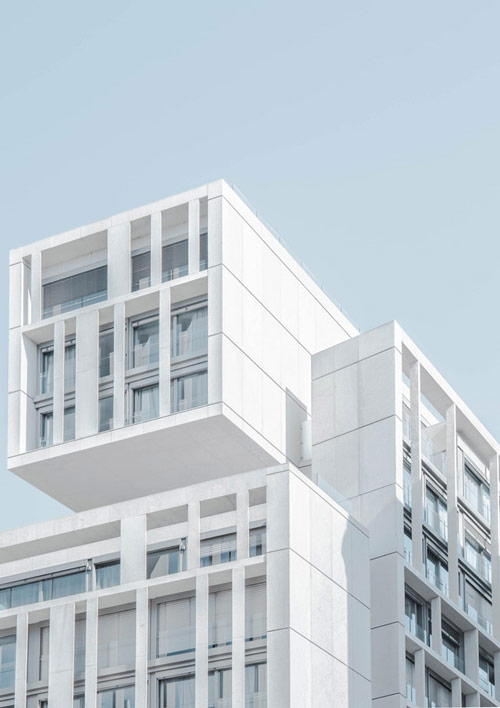
A common task in many architecture offices is to take a photo to make volumetric studies and plans, to later develop a proper project. You could add new areas to a building or work with an existing idea to see if you can improve them further.
In the process of developing those ideas, you can eventually take a photo to work.
Is it possible to create models in Blender based on a photo? Sure!
If you take an incredible and useful Add-on like the Camera Calibration PVR, you will be able to match your camera to any perspective.
Do you want to see an example? Here is a photo of a building, and we can try to match Blender’s camera to any of the sides. From this point forward I will use the Camera Calibration PVR Add-on. You can download it for free.
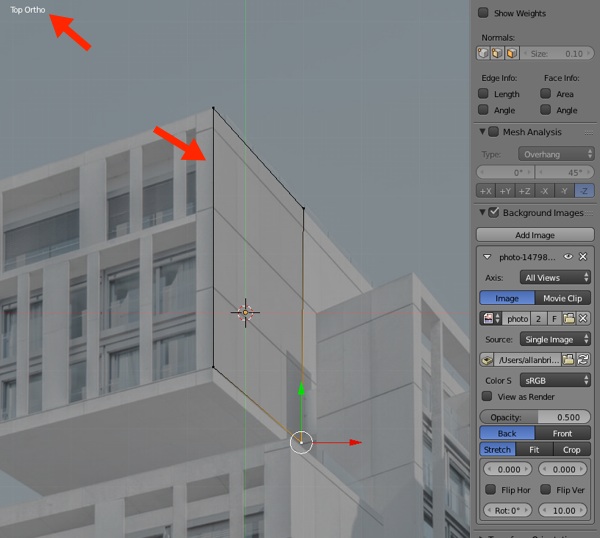
The Camera Calibration PVR works by using a reference object. You have to add the image to the background in Blender, and later create a plane that matches a surface in the building which will help the Add-on to solve the perspective.
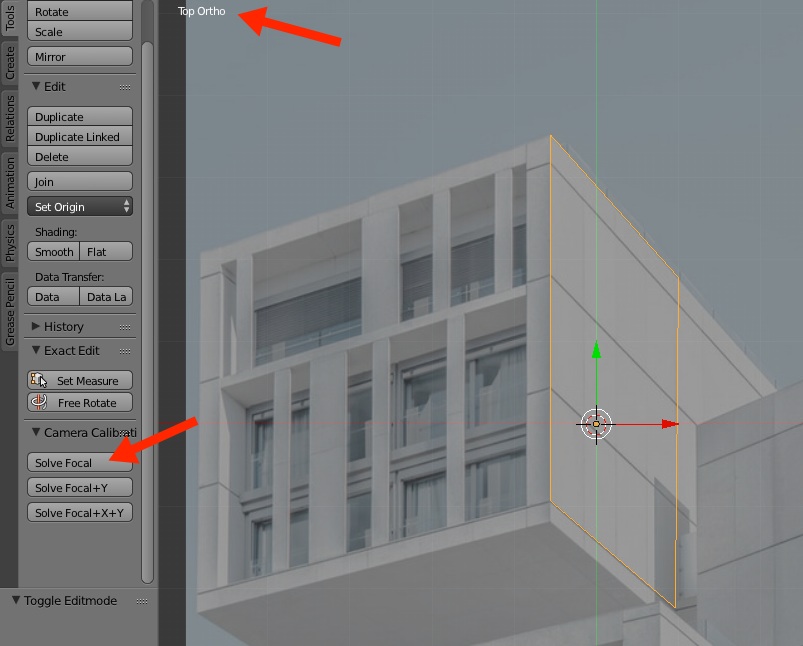
Once you have the plane in place, go to Object mode and hit the Solve Focal button. The view must be set to the top and in orthographic mode.
And you will have a camera aligned with the perspective. You either use the plane to start making volumetric studies or add new objects.
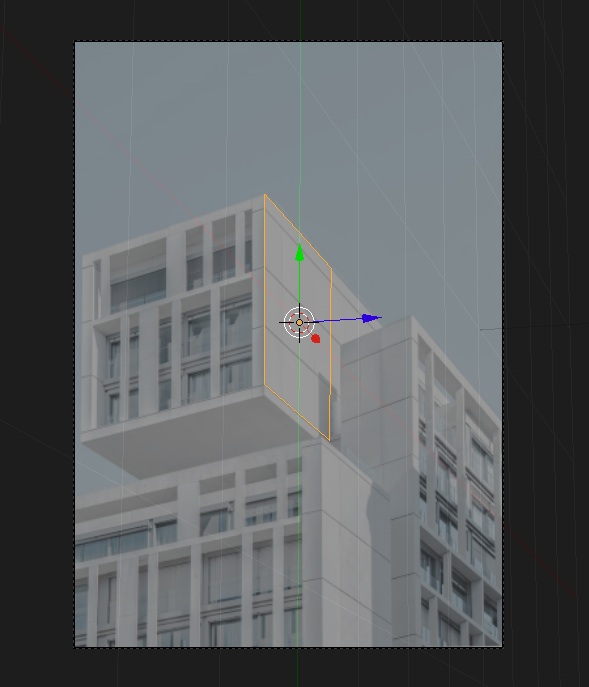
From this point, you have the camera aligned to the side of the building and you can start using regular modeling tools to create volumetric studies.
That is just one quick example of what you can do with that Add-on and Blender. You can also add more variable to the Add-on to make a better match for your camera. For architectural studies based on photos that is a must have Add-on.
Are there any other Add-ons that I should be looking? Sure, we recently posted a list of Add-ons for architecture in Blender.
Architectural modeling
Do you want to learn how to create 3d models for architecture in Blender? We have two online courses that might help you:
- Course about architectural modeling with Blender
- Course about parametric modeling for architecture with Blender